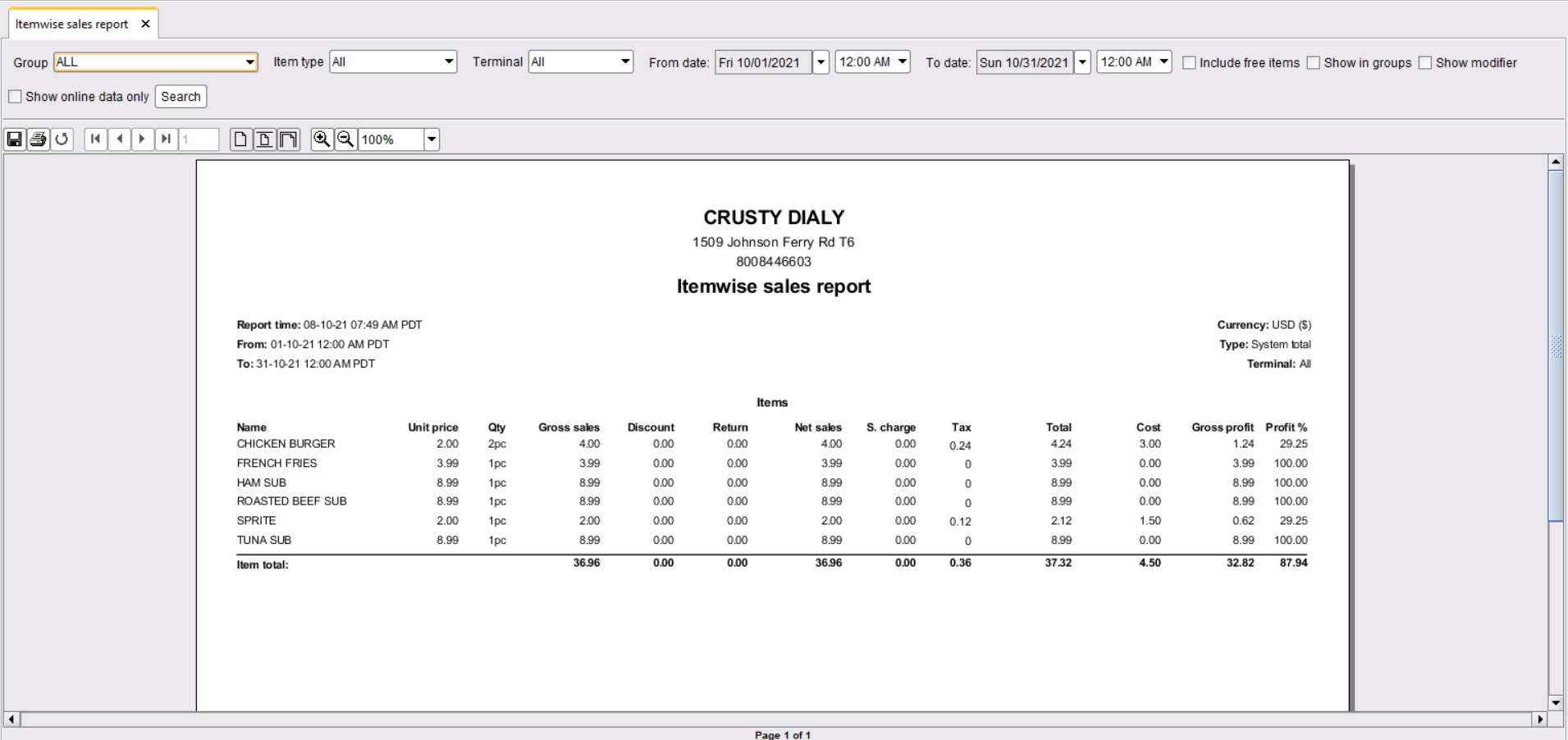
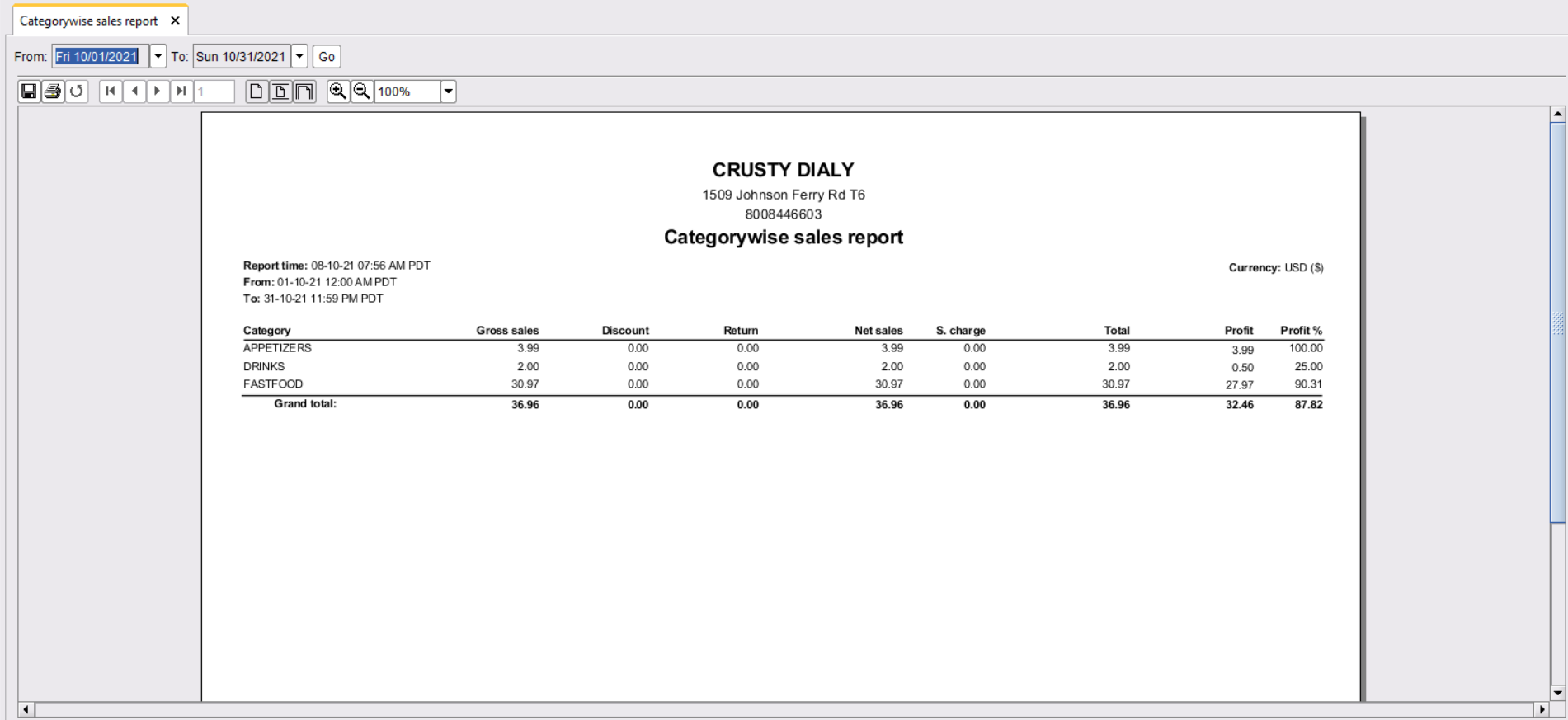
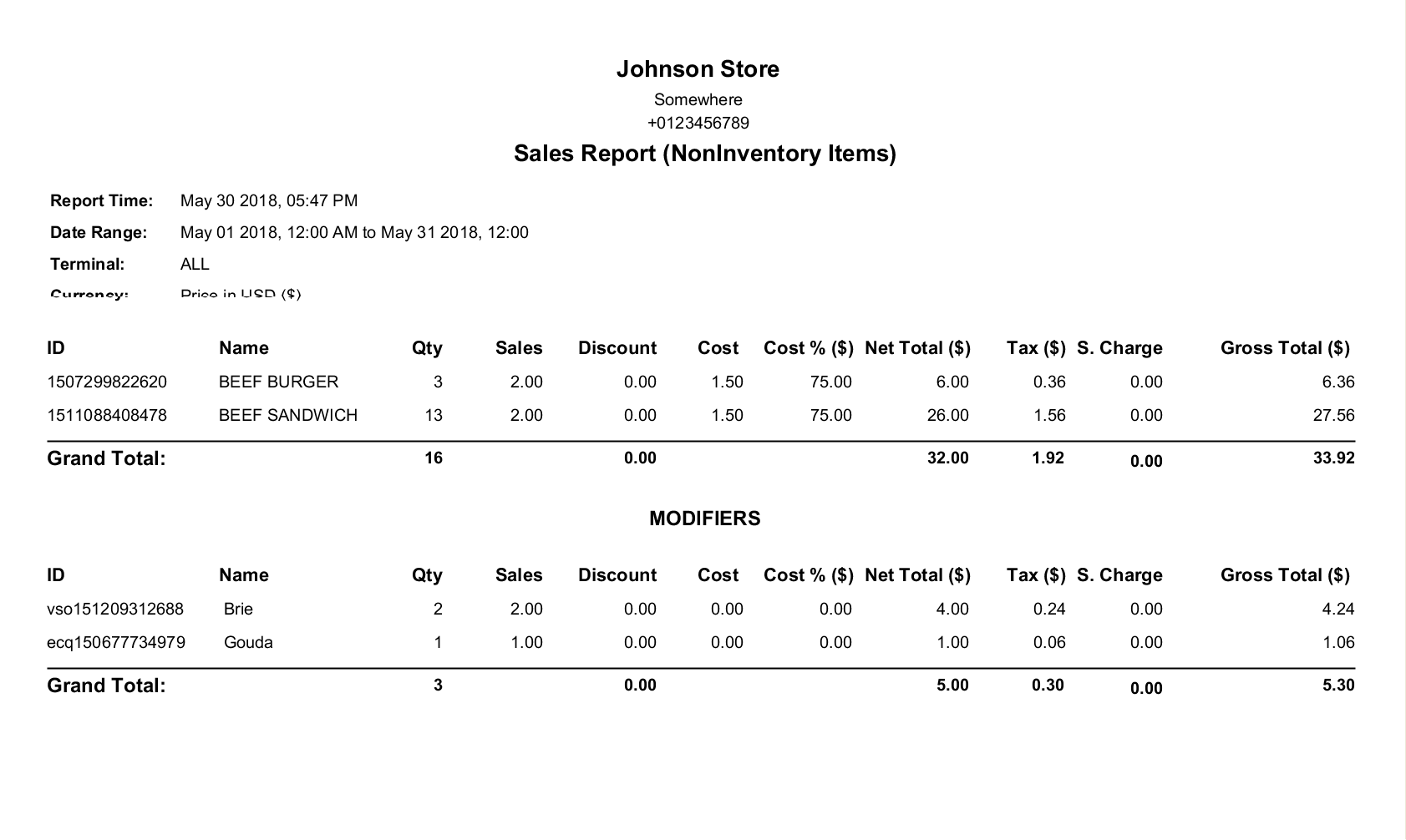
Report Description
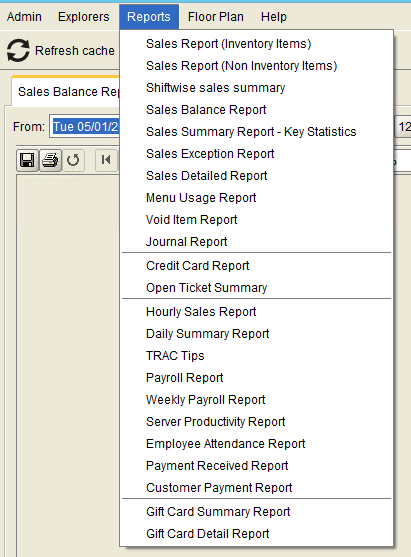
This report will show a summary of all the sales by date range. Store Admin can go to back-office and select “Sales Report(Non-Inventory Items)” from the Reports menu.
Filters and options
Clicking on the reports will show the following options.
Filters
- Group-wise (1)
- Terminal wise. (2)
- Date & Time wise (3), (4),(5),(6)
- Include free items (7)
- Show in groups. (8)
Clicking on the “Search” button will generate a report. (9)
Exporting Reports
Reports can be exported in Excel, HTML, and Text format.
Note
Unchecking “Show in Groups” will hide Groups. This format is more useful when exported to spreadsheets.

Updates in v1.5
All screenshots and features described are for ORO POS 1.4. The following section describes some changes in ORO POS 1.5. In ORO POS v1.5 we discard Sales Report (Non-Inventory Items) and Sales Report (Inventory Items). And added “Itemwise Sales Report” and “Categorywise Sales Report”.