


🔄 Inventory Stock Conversion
Stores often buy in large packages but sell in smaller packages. Stock Conversion lets you change a stock quantity from one unit to another — for example, from “cases” to “individual bottles”.
Go to Back-Office → Inventory → Stock
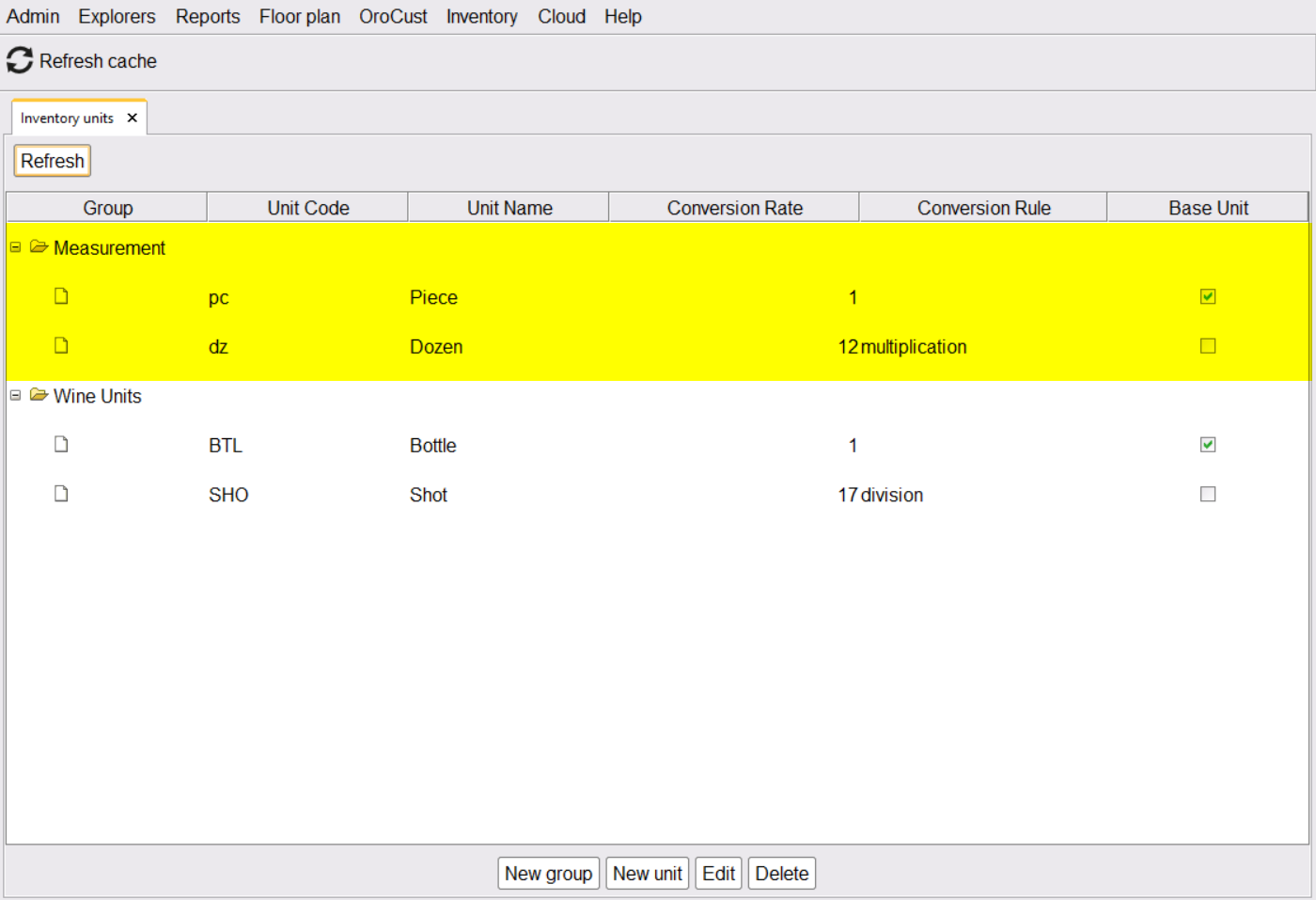
🎯 Why Stock Conversion Matters
In real-world stores, the unit you buy in is rarely the unit you sell in.
| Product | Bought as | Sold as |
|---|---|---|
| 🥤 Soda | Case (24 cans) | Single can |
| 🍞 Hot Dog Buns | Bag of 12 | Per bun (in combo) |
| 🥚 Eggs | Tray of 30 | Per egg (in recipe) |
| 🍫 Candy | Box of 50 | Single bar |
| 🍷 Wine | Bottle (750 ml) | Glass (150 ml) |
⚠️ The Negative Stock Problem
If you record stock in cases but sell individual bottles, the system can’t reconcile the two. Sales push the bottle balance into negative numbers while case balance stays the same.
📌 Real Example: The Drink Case Problem
Setup: Store buys soda in cases. Each case has 10 bottles.
| Step | Action | Stock (Case) | Stock (Bottle) |
|---|---|---|---|
| 1 | Buy 10 cases (Stock In) | 10 cases | 0 bottles |
| 2 | Issue 1 case to kitchen | 9 cases | 0 bottles |
| 3 | Cashier sells 5 bottles | 9 cases | -5 bottles ⚠️ |
The system thinks you have 9 cases AND -5 bottles. Reports look broken. Reorder logic gets confused.
✅ How Stock Conversion Solves It
When you issue 1 case to the kitchen, also convert it from “Case” to “Bottle”. The system then knows you have 10 bottles available, and sales reduce that count properly.
📌 Same Drink Example — With Conversion
| Step | Action | Stock (Case) | Stock (Bottle) |
|---|---|---|---|
| 1 | Buy 10 cases | 10 cases | 0 bottles |
| 2 | Convert 1 case → 10 bottles 🔄 | 9 cases | 10 bottles |
| 3 | Sell 5 bottles | 9 cases | 5 bottles ✓ |
| 4 | Sell 5 more bottles | 9 cases | 0 bottles ✓ |
| 5 | Convert another case as needed 🔄 | 8 cases | 10 bottles |
Stock numbers always match reality. No negative balances. No accounting headaches.
🎬 Step-by-Step: How to Convert Stock
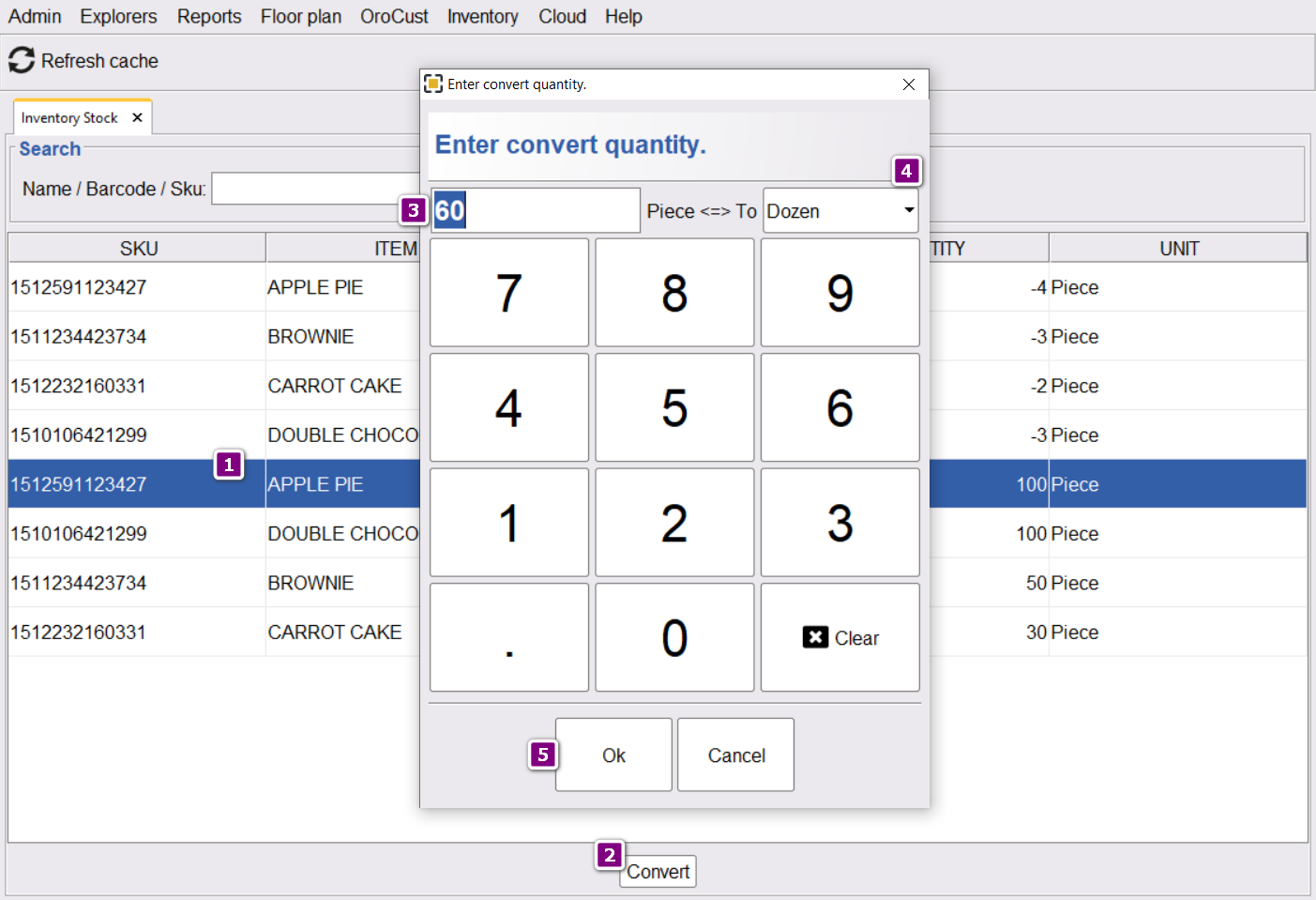
| Step | Action |
|---|---|
| 1 | Open Back-Office → Inventory → Stock |
| 2 | Select the inventory item (e.g., “Coke Bottle”) |
| 3 | Click Convert |
| 4 | Enter the amount you want to convert (e.g., 1) |
| 5 | Select the target unit from the dropdown (e.g., from “Case” → “Bottle”) |
| 6 | Click Ok to commit |
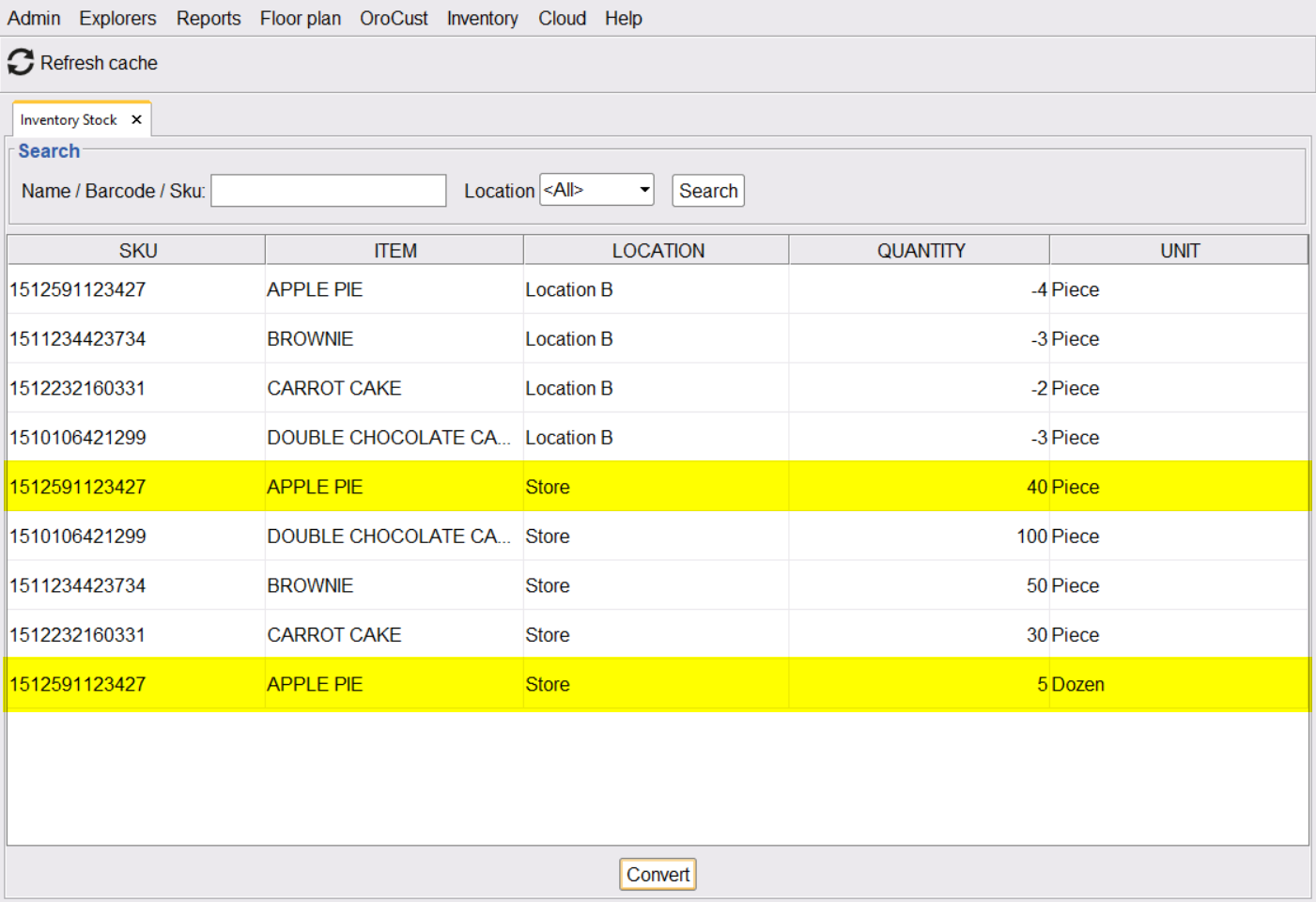
After conversion, the inventory item shows the new unit balance:
The two units must be in the same Unit Group with a defined conversion rate. See Different Types of Units for setup.
💼 More Real Examples
📌 Example 1: Wine Bottles to Glasses
Bar buys House Red Wine in 750 ml bottles. Bartender pours 150 ml glasses.
- Buy: 12 bottles
- Convert 1 bottle → 5 glasses (750 ÷ 150)
- Sell glasses, balance reduces
- Convert next bottle when needed
📌 Example 2: Bulk Bag of Coffee
Café buys coffee in 5 lb bags. Each cup uses 0.05 lb (about 25 g).
- Buy: 4 bags (= 20 lb)
- Convert 1 bag → 5 lb of “loose stock”
- Each cup recipe deducts 0.05 lb
- Convert next bag when running low
📌 Example 3: Pizza Cheese Block
Pizzeria buys 5 lb mozzarella blocks. Pizza recipe uses 2 oz per pizza.
- Buy: 10 blocks
- Convert 1 block → 80 oz (5 lb × 16 oz)
- Each pizza order deducts 2 oz
- 40 pizzas can be made from 1 block
⭐ Best Practices
| Tip | Why |
|---|---|
| Convert just before opening | Avoids excess “loose stock” sitting around |
| Set up Unit Groups properly first | Conversion rates are defined there |
| Train staff to recognize when to convert | Prevents negative balance surprises |
| Use recipes for automatic deduction | Combined with conversion = full automation |
📚 Related Guides
| → Unit Types | → Stock In / Out | → Recipe / BoM |
📞 Need More Help?
Visit our knowledge base at guide.orocube.com or contact support at helpdesk@orocube.net