

🚗 Cust Plugin: Driver Assignment & Driver View
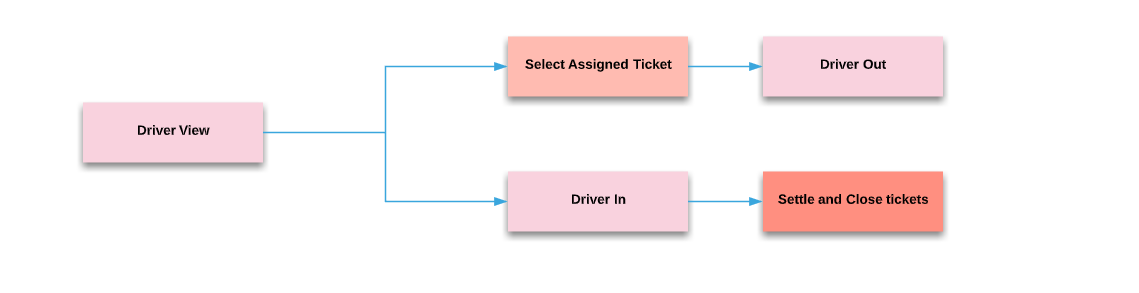
After the kitchen bumps an order as ready, the manager assigns it to a driver. Drivers use a special Driver View to manage their deliveries — out, deliver, in, settle.
👤 Step 1: Assign a Driver
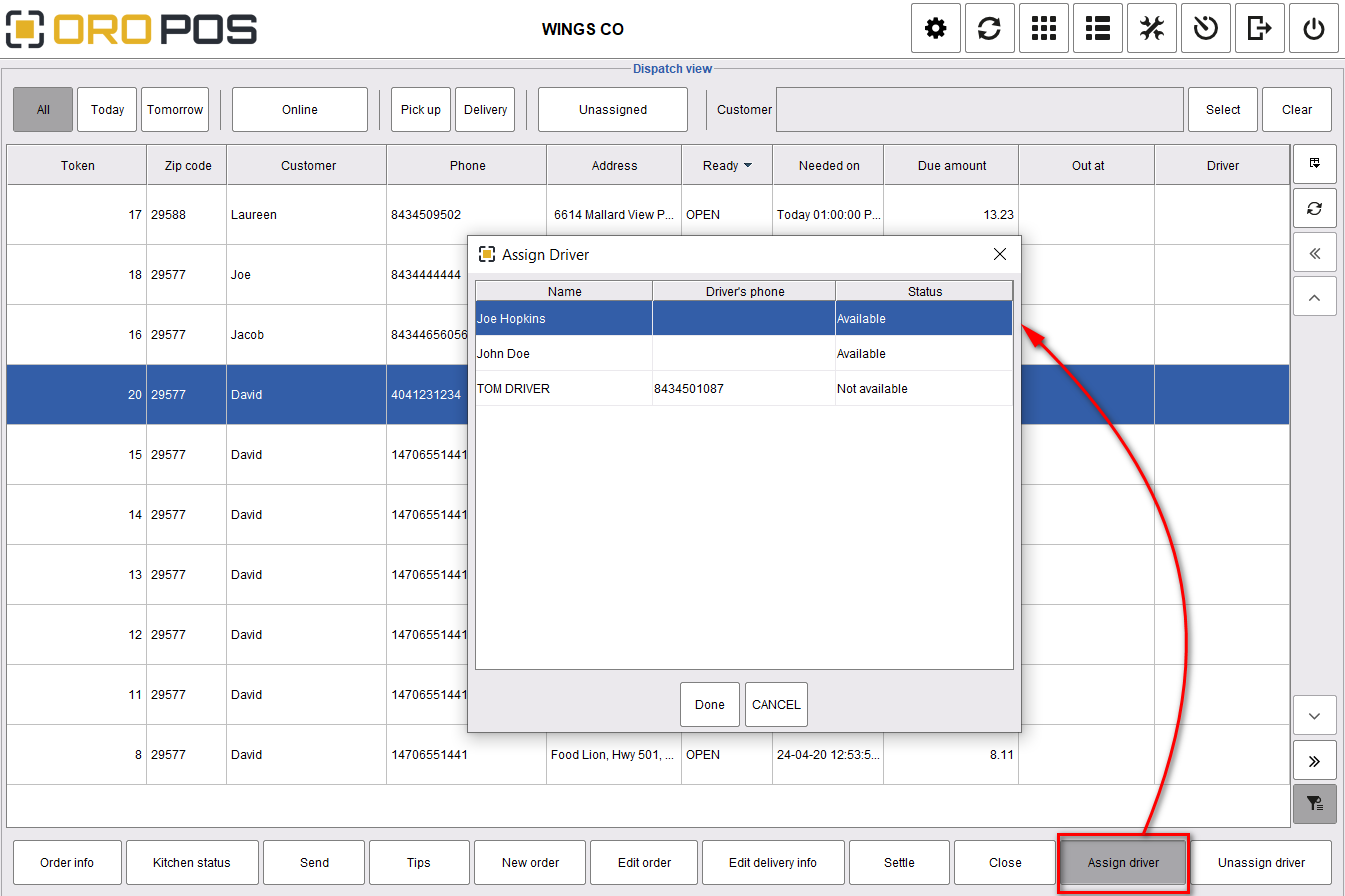
Drivers must be logged into the POS to appear in the assignment list.
| Step | Action |
|---|---|
| 1 | Find ready order in dispatch view |
| 2 | Click Assign Driver |
| 3 | Select an available driver from the list |
| 4 | Print driver receipt from Order Info |
Drivers can also log into the POS and assign orders to themselves from the Driver View.
🚪 Step 2: Driver Out (Leaving for Delivery)
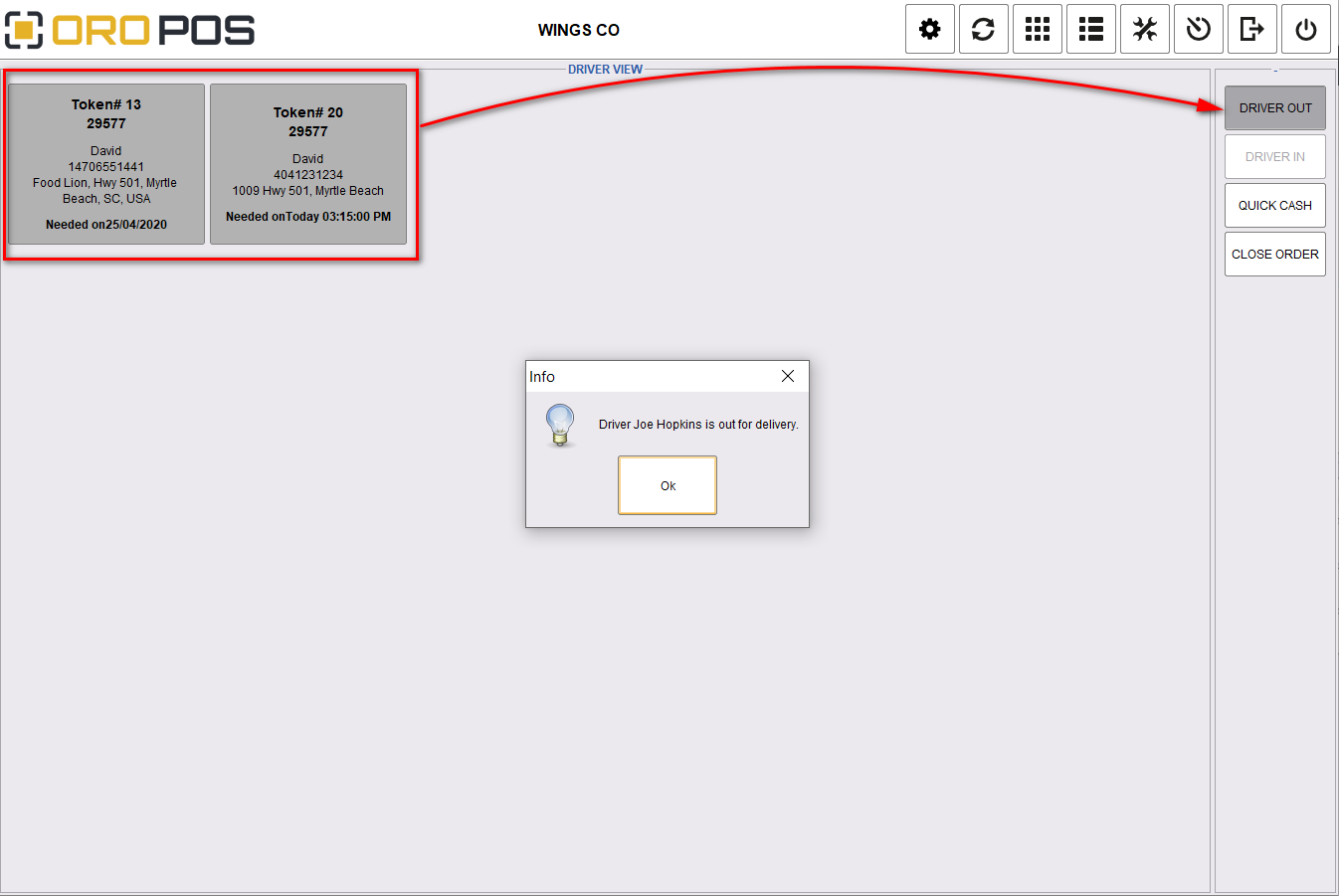
Driver logs in → goes to Driver View → selects assigned orders → clicks Driver Out.
While the driver is out for delivery, no new orders can be assigned to them. They appear as “unavailable” in the assignment list.
🏠 Step 3: Driver In (Returning)
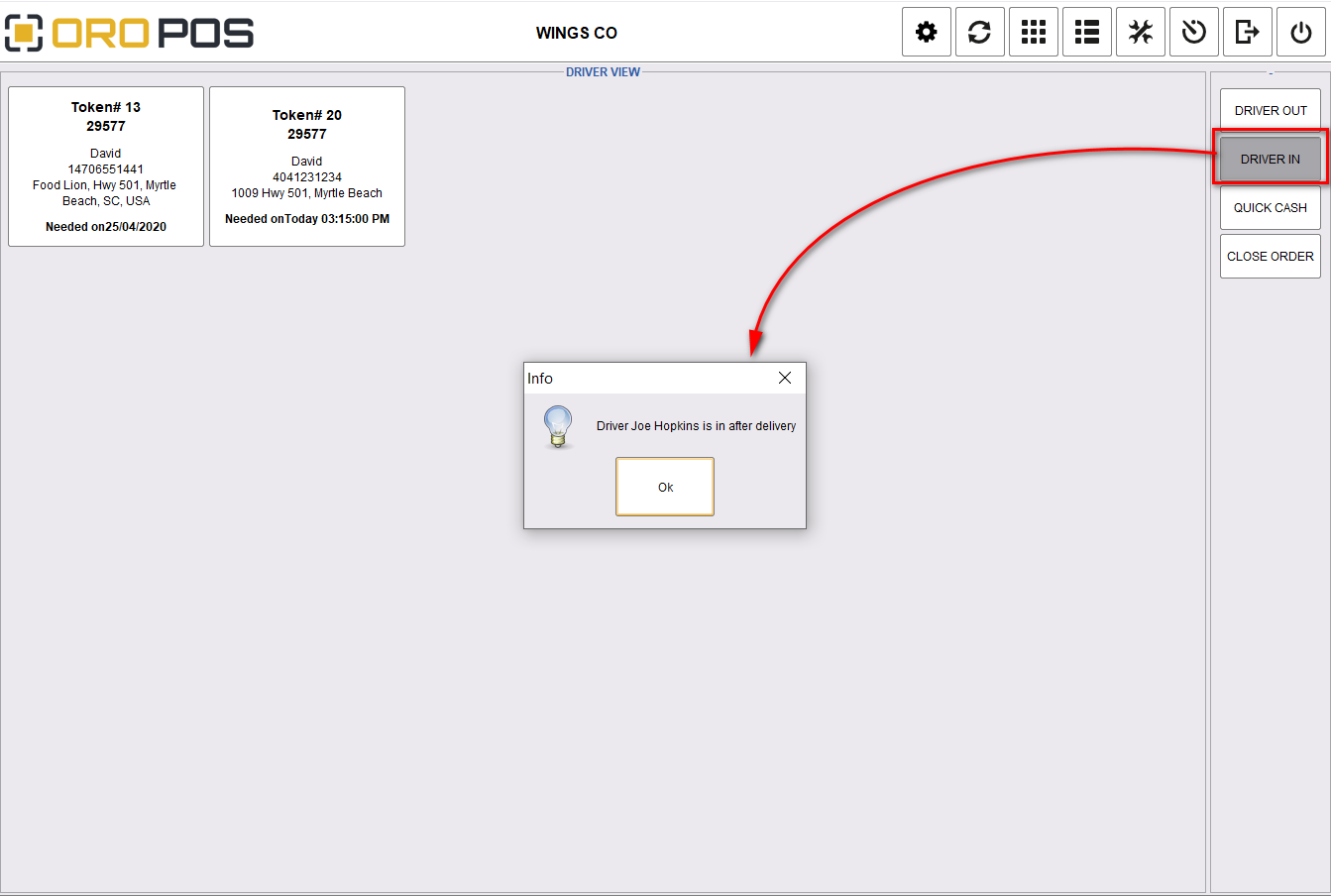
When the driver returns, click Driver In → ready for the next assignment.
💵 Step 4: Settle Cash Payments (Quick Cash)
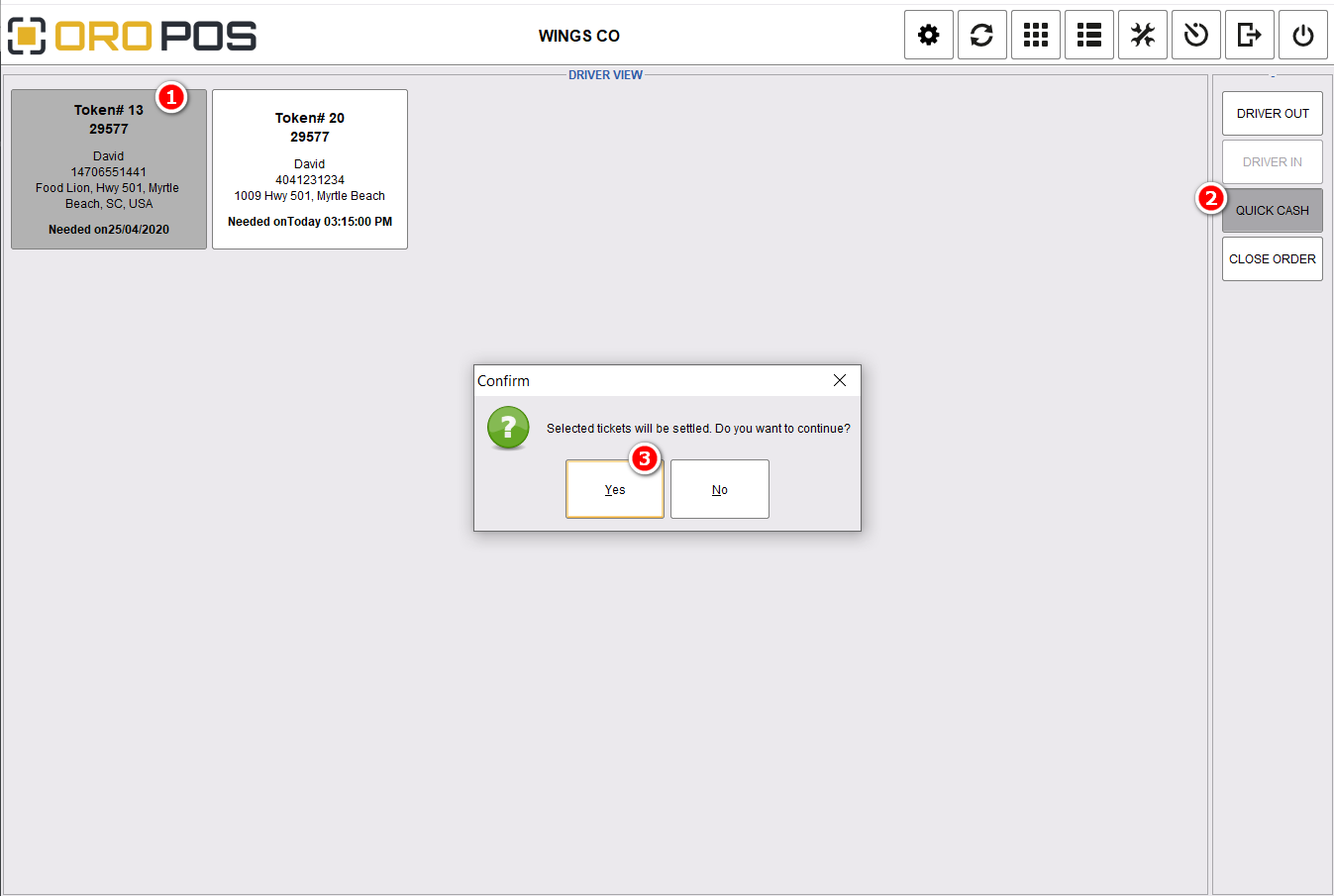
If customer paid cash on delivery, use Quick Cash for fast settlement:
| Step | Action |
|---|---|
| 1 | Select tickets to settle |
| 2 | Click Quick Cash |
| 3 | Press Yes to confirm |
Cash settled by driver is stored in the driver’s staff bank account. Before ending shift, the driver hands over that cash.
💳 Step 5: Other Payment Methods (Close Order)
For credit card or other non-cash payments, click Close Order from the ticket settlement screen:
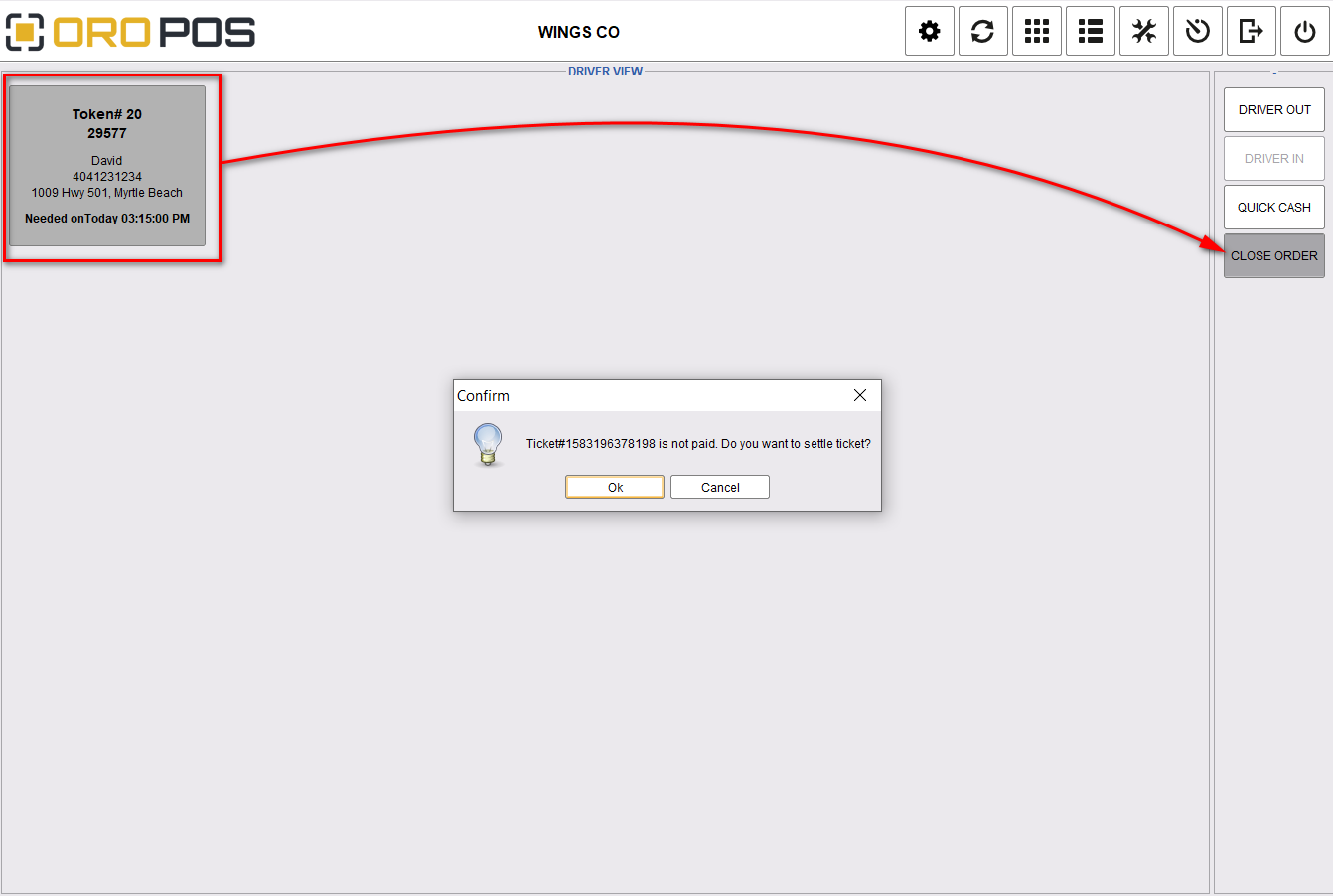
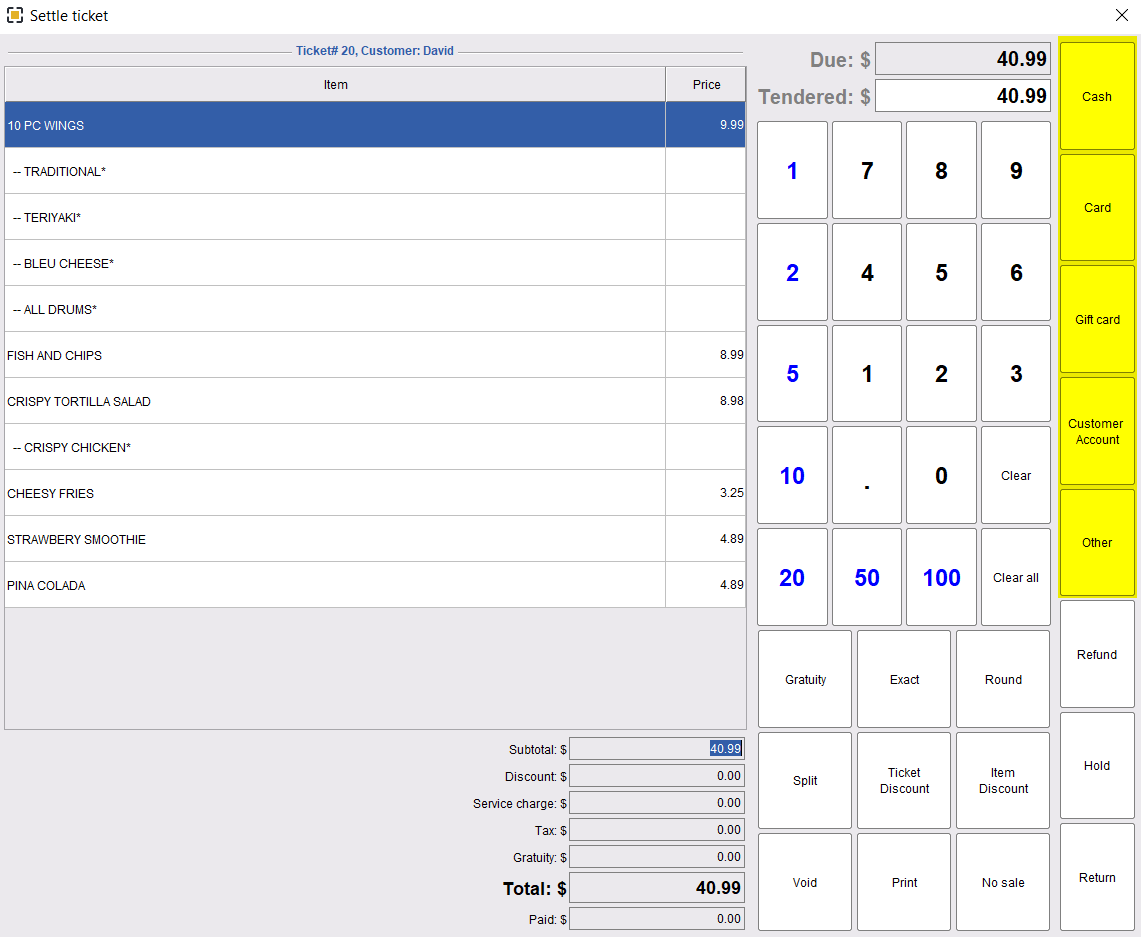
Set tip distribution rules in Store Configuration so cash + card tips are tracked correctly per driver.
💼 Real Example: Full Driver Workflow
Mary’s pizza is ready at 6:50 PM.
| Time | Event |
|---|---|
| 6:51 PM | Manager assigns Driver Mike |
| 6:52 PM | Mike clicks Driver Out, drives |
| 7:08 PM | Customer pays cash $30 (with $2.50 tip) |
| 7:15 PM | Mike returns, clicks Driver In |
| 7:16 PM | Mike settles ticket via Quick Cash → $30 added to his cash bank |
| 10:00 PM | End of shift, Mike hands over total cash collected |
⭐ Best Practices
| Tip | Why |
|---|---|
| Train drivers to always click Driver In/Out | Prevents accidentally assigning to off-duty drivers |
| Use Quick Cash for cash sales | Faster than full settle; tracks driver bank |
| Print driver receipt with address | Clear delivery info, special instructions |
| Configure tip rules in Store Config | Tip allocation per driver — no end-of-shift confusion |
📚 Navigation
| ← Back: Sending to Kitchen | 📂 All Delivery & Pickup Guides |
📞 Need More Help?
Visit guide.orocube.com or contact helpdesk@orocube.net