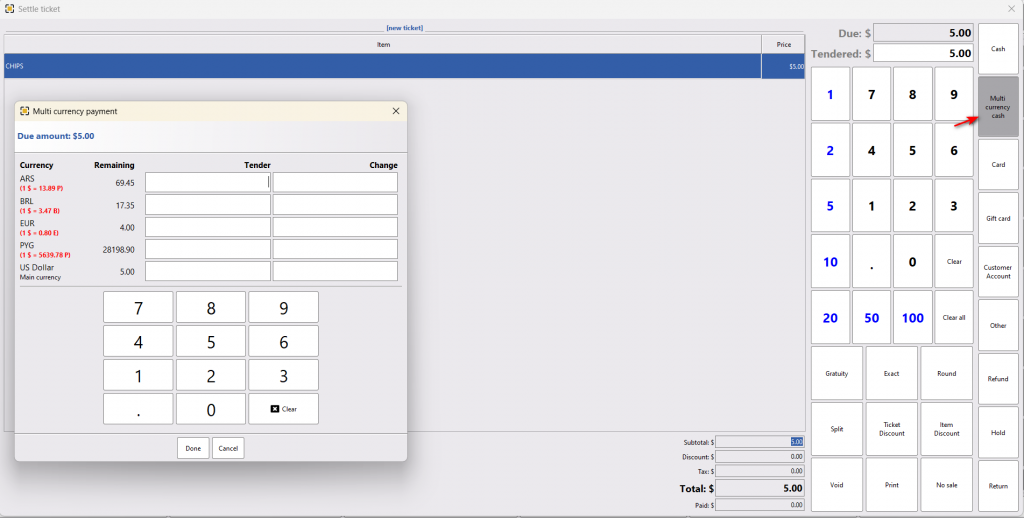
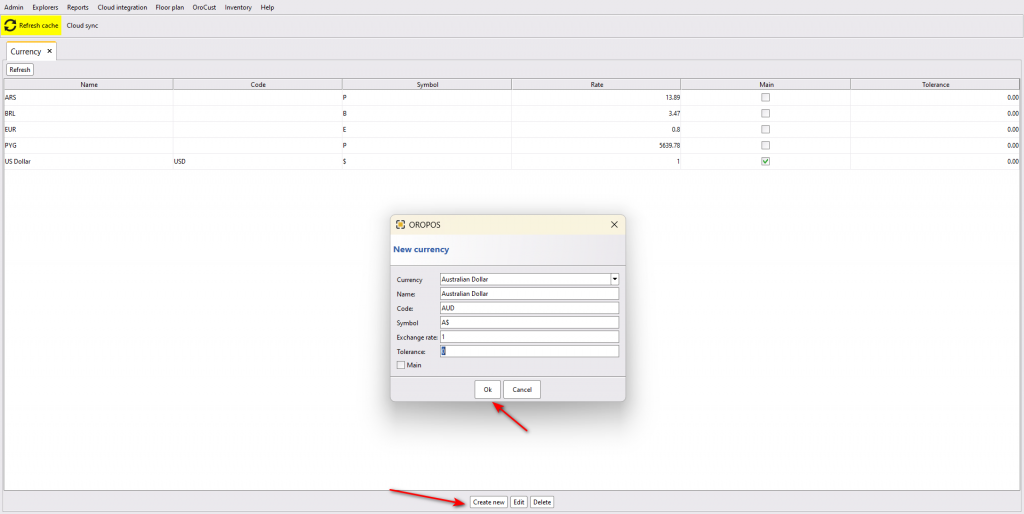
A store can take payments in different currencies. To set up this system, make multiple currencies with one main currency.
Go to back office–> admin–> currency–> create new currencies with one main currency
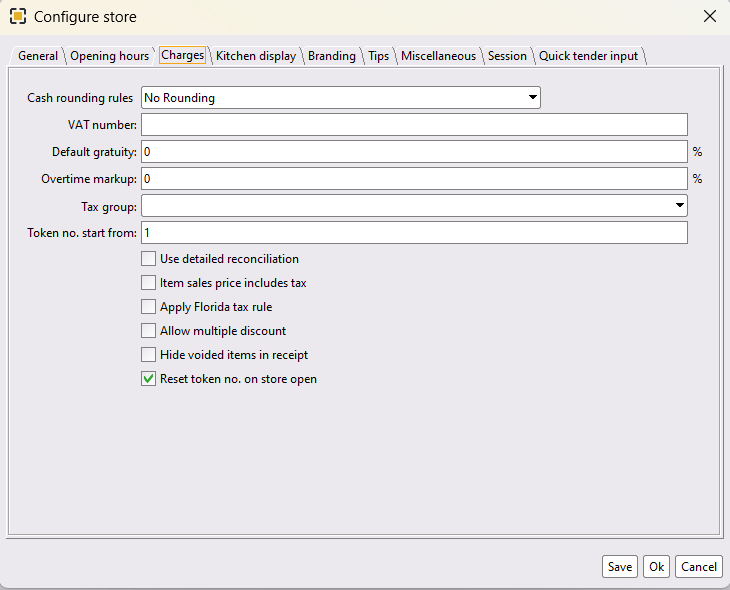
Now make sure, you haven’t selected any universal currency store wise.
Go to back office–> admin–>store configuration–> charges–> select blank from currency select drop down list
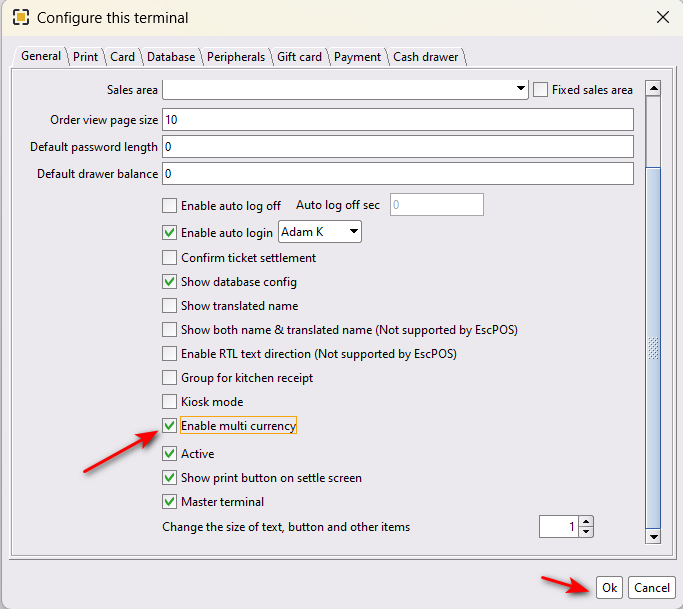
Finally, enable the multi-currency option and restart the system and take payments in different currencies.
back office–> admin–> terminal configuration–>general–> enable multi-currency –> restart the POS
Now take payments using multi-currency payment option.