

☁️ Verify Your Menu in the Cloud
Once your store is registered, you can log in to the Menugreat console and verify that your menu uploaded correctly.
Step 1: Log In to Menugreat Console
Go to menugreat.com/console and log in.
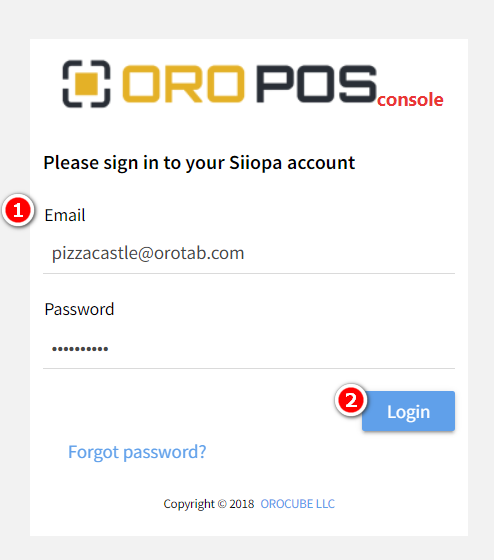
- Insert your registered email and password
- Click “Login” to access your cloud system
Step 2: View Your Store’s Database
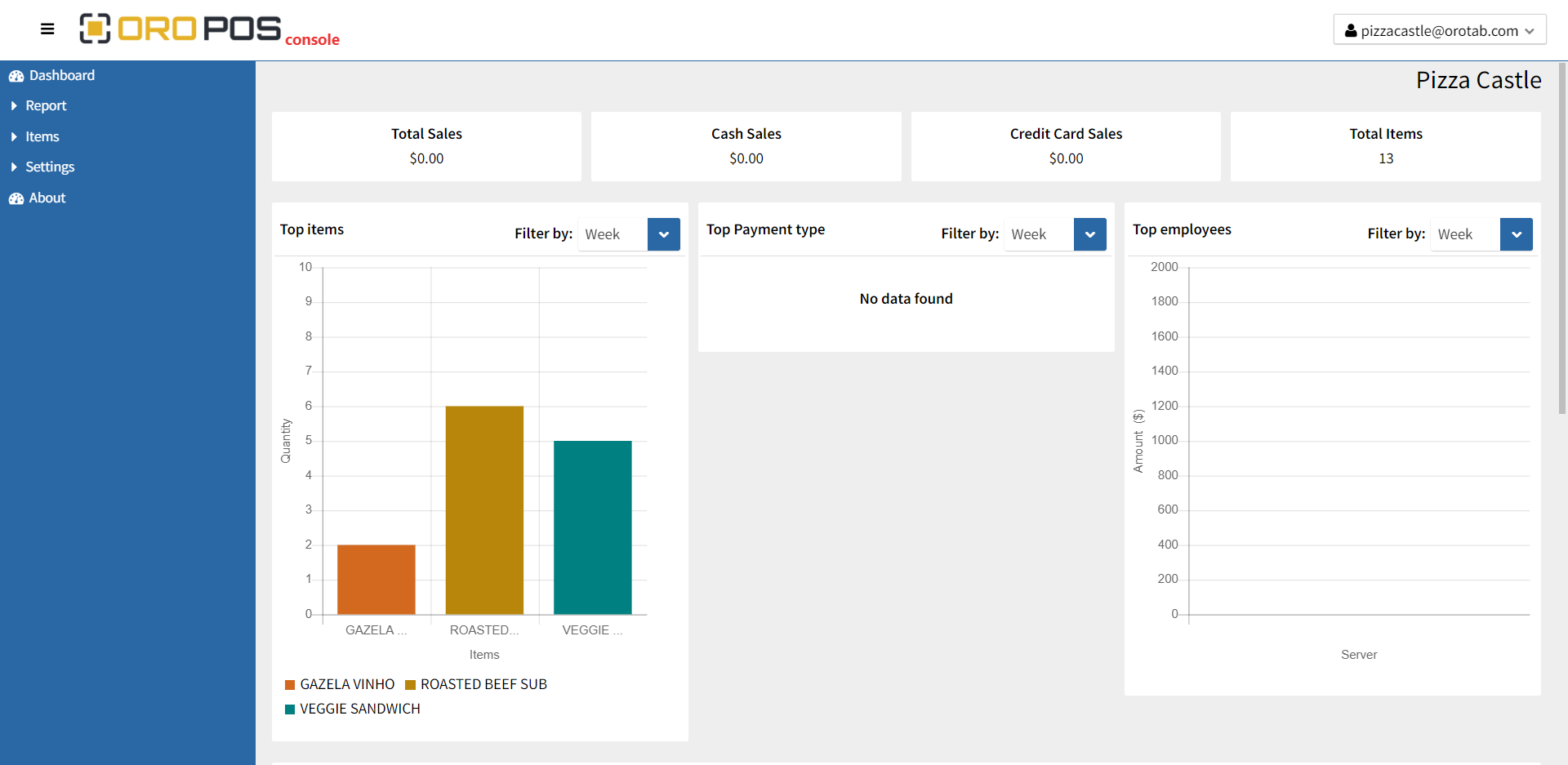
You’ll see the Menugreat console showing your store’s database. From the side menu, you can navigate to:
- 📊 Reports
- 🍔 Items
- ⚙️ Different settings
✓ Verify Your Menu
Take a moment to browse through your items, categories, and prices to make sure everything uploaded correctly. If something is missing, you may need to re-sync.
📞 Need Help?
Contact support at helpdesk@orocube.net