

🛒 Enable Online Ordering
Once your store and menu are uploaded, turn on online ordering and configure how customers will pay.
Configure Online Ordering Settings
From the Menugreat console, go to: Settings → Online Ordering → General
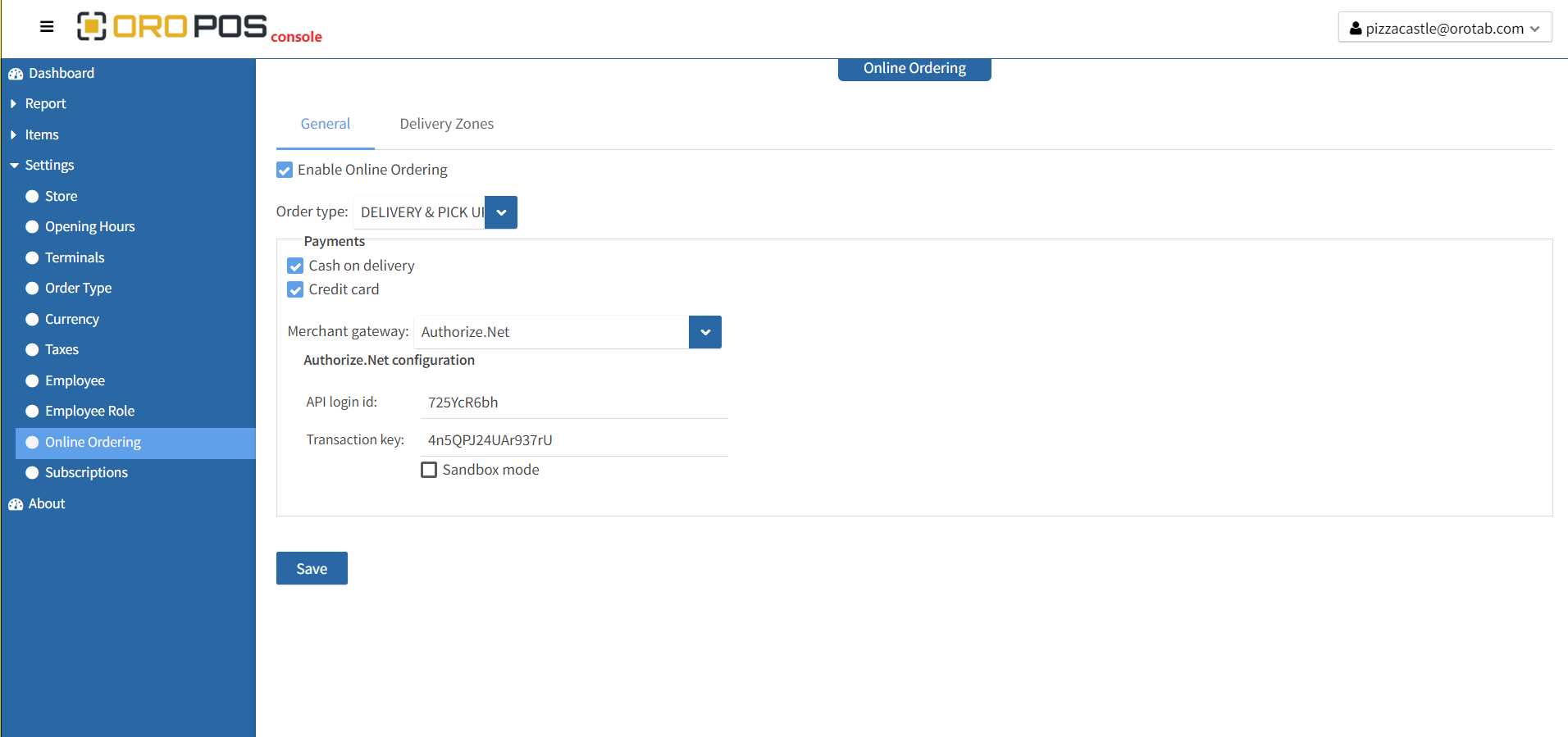
- ✅ Enable online ordering (toggle on)
- 📋 Select Order Type — should be Delivery or Pickup
- 💳 Select Payment Type:
- Cash on delivery / pickup — simplest, no payment gateway needed
- Credit Card — requires merchant gateway info
- 💾 Save the changes
⚠️ Order Type is Critical
The Order Type you select must be Delivery or Pickup in your POS. Otherwise the order won’t route correctly.
💳 Using Credit Cards?
You’ll need a payment gateway account. Contact support if you need help connecting your merchant gateway.
What’s Next?
Now you should set up your delivery zones so customers in your area can place delivery orders.
📞 Need Help?
Contact support at helpdesk@orocube.net