

📝 Sign Up Your Store on Menugreat
Before customers can order online, you need to register your store on Menugreat. The good news? Menugreat uses the same database as ORO POS, so your full menu (with pictures) gets uploaded automatically.
Make sure both your POS and Menugreat store are properly configured. Have an email address and password ready.
Step-by-Step: Register Your Store
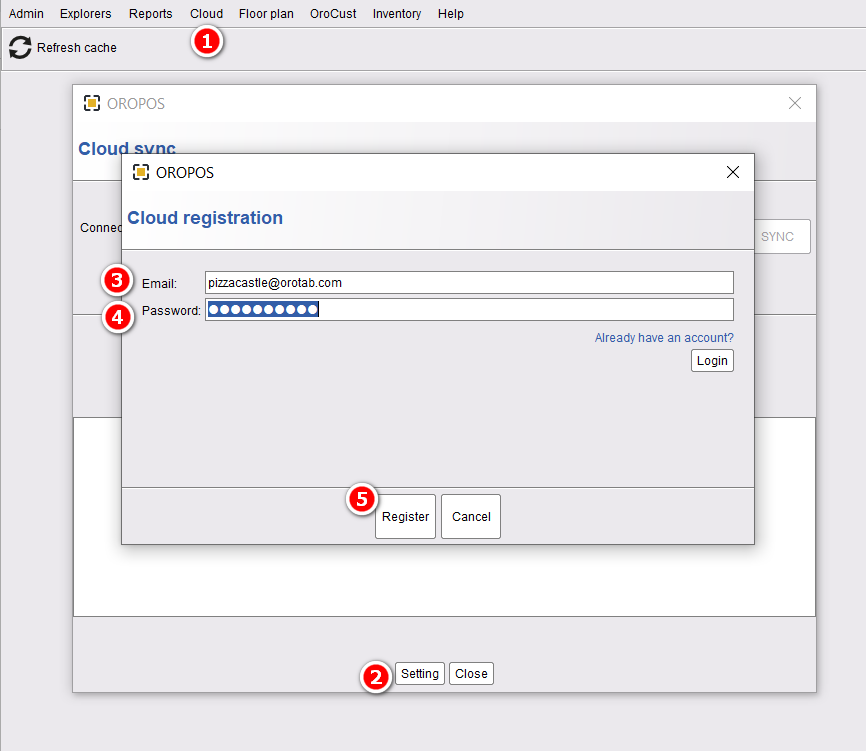
- In ORO POS, go to Back-Office → Cloud → Cloud Sync → Settings → Register
- Click “Cloud” to start registration
- Click “Settings” to enter your information
- Enter your Email address
- Enter a Password
- Click “Register”
ORO POS will start uploading your full database to the cloud. This can take up to 10 minutes depending on your database size. Don’t close the window!
Once Sync Completes
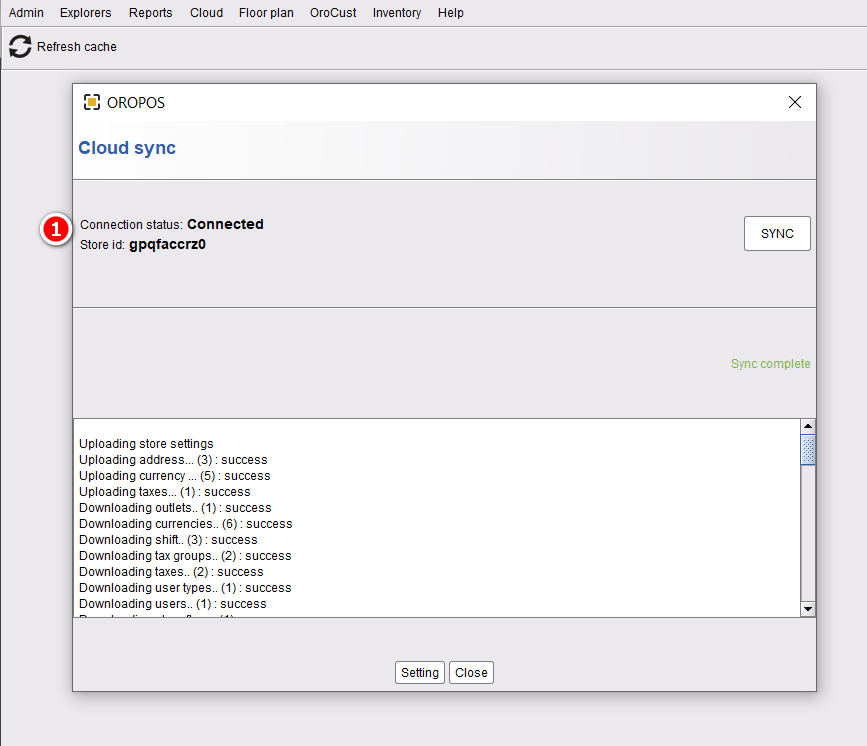
You’ll see a success message confirming your terminal is connected to the cloud. You’ll also receive a Store ID — write it down or save it somewhere safe.
If prompted with “New or Existing Outlet”, single-store owners should always choose “Existing Outlet”.
Contact support at helpdesk@orocube.net